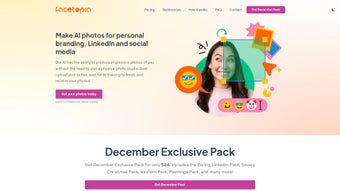

Download Facetopia – AI‑Generated Photo Tool for Personal Branding
Introduction: The Growing Need for AI‑Powered Portraits in 2025
In a world where a professional image can be the difference between a connection request and a missed opportunity, visual branding has become a non‑negotiable part of personal and corporate communication. LinkedIn, Instagram, Twitter, and emerging visual‑first platforms are constantly demanding fresh, high‑quality images that convey credibility, creativity, and personality. Traditional photo shoots are costly, time‑consuming, and often fail to keep pace with the rapid content cycles that modern marketers and job seekers face. This is where AI‑generated imagery steps in, offering a blend of speed, customization, and affordability that was unimaginable just a few years ago.
Facetopia positions itself at the intersection of these trends, delivering a web‑based service that transforms a handful of user‑provided selfies into a library of professionally styled photos. Whether you need a polished headshot for a corporate profile, a festive image for a holiday campaign, or a creative visual for a personal brand, Facetopia promises a quick turnaround, privacy‑first data handling, and a subscription model that scales with usage. The platform’s emphasis on themed packs—such as the “Boring LinkedIn Pack” for understated professionalism or the “Snowy Christmas Pack” for seasonal flair—means users can instantly align their visuals with the tone of their target audience.
Beyond the immediate convenience, Facetopia leverages the latest generative‑adversarial‑network (GAN) technology to ensure that each output image retains natural skin tones, realistic lighting, and subtle depth cues that make the photos look genuinely captured rather than synthetically fabricated. This technical foundation is critical for professionals who cannot afford any hint of artificiality in their visual presentation. Moreover, the service is built on a secure cloud infrastructure that complies with GDPR and CCPA, giving users confidence that their biometric data will not be misused.
The following review digs deep into how Facetopia works, the technology behind its AI engine, the user experience from sign‑up to final download, and whether the pricing model delivers genuine value for professionals who rely on visual content daily. By the end, you’ll know if Facetopia is the right tool to boost your personal branding, enhance your social media presence, and keep your image assets fresh without breaking the bank.
Overview, Core Features, and a Balanced Look at Pros & Cons
Facetopia is a subscription‑based web application that leverages state‑of‑the‑art generative AI to create personalized photos from user‑uploaded selfies. The workflow is intentionally minimal: users upload three to five clear selfies, choose a themed pack, and let the AI model train for roughly ten minutes. Once training completes, the system generates a diverse set of images—typically between 10 and 20—tailored to the selected theme. These images are then delivered directly to the user’s inbox in high‑resolution JPEG format, ready for immediate use on LinkedIn, Instagram, personal websites, or any other platform where a strong visual impression matters.
What truly sets Facetopia apart is its focus on “brand‑centric” themes. The Boring LinkedIn Pack strips away distractions, delivering neutral backgrounds, soft lighting, and subtle attire suggestions that convey competence and approachability. Conversely, the Snowy Christmas Pack adds a seasonal overlay, complete with gentle snowfall and festive color grading, ideal for holiday greetings or end‑of‑year posts. Additional packs—like “Creative Startup” or “Executive Boardroom”—are continuously rolled out, ensuring users have fresh stylistic options throughout the year. Each pack is curated by visual designers who understand the nuances of professional branding, so the output feels both authentic and strategically aligned with business goals.
- AI‑driven image generation from 3‑5 user selfies.
- Theme‑based packs for specific professional contexts (LinkedIn, Christmas, Startup, Executive, etc.).
- Rapid processing: model training and image creation in under 15 minutes.
- Secure email delivery of high‑resolution images.
- Unlimited adjustments: users can request re‑training or fine‑tuning if results aren’t satisfactory.
- Privacy‑first architecture: all uploaded selfies are encrypted, stored temporarily, and deleted after processing.
- Cross‑platform accessibility via any modern web browser (Windows, macOS, Linux, Android, iOS).
- Subscription tiers with monthly and annual options, including a free trial month for first‑time users.
Pros
- Speed and Convenience: From upload to inbox in under 15 minutes, eliminating the need for professional photographers.
- Theme Flexibility: A growing library of packs lets users match images to any branding need.
- High‑Quality Output: Images are delivered at 300 dpi, suitable for both web and print.
- Privacy Assurance: End‑to‑end encryption and automatic deletion of source selfies after processing.
- Cost‑Effective Subscription: Monthly plans start at $9.99, far cheaper than recurring photo‑shoot expenses.
Cons
- Dependence on Selfie Quality: Poor lighting or low‑resolution uploads can affect final image fidelity.
- Limited Offline Use: As a web‑only service, it requires an internet connection for every generation.
- Theme Saturation Risk: Popular packs may produce similar looks for many users, reducing uniqueness.
- Subscription Commitment: No one‑time purchase option; users must maintain an active plan for ongoing access.
- Learning Curve for New Users: While simple, the initial upload and theme selection process may feel unfamiliar to non‑tech‑savvy individuals.
Installation, Usage Guide & Compatibility
Facetopia does not require a traditional installation process because it operates entirely in the cloud. To get started, users simply navigate to the official website (https://facetopia.com) using any up‑to‑date browser—Chrome, Firefox, Edge, Safari, or even mobile browsers on Android and iOS devices. The first step is to create an account with a valid email address and a secure password. After confirming the email, users are prompted to select a subscription tier. Facetopia offers a 7‑day free trial, after which the standard monthly plan costs $9.99, with a discounted annual rate of $99.99 (equivalent to two months free).
Once logged in, the dashboard presents a clean, step‑by‑step wizard:
- Upload Selfies: Drag‑and‑drop three to five high‑resolution selfies. The system recommends a plain background and natural lighting for optimal results.
- Select a Theme Pack: Choose from the catalog of themed packs. Each pack displays a preview of typical styling to help users decide.
- Configure Preferences (Optional): Users can adjust parameters such as background color, attire style, or facial expression emphasis.
- Start Generation: Click “Generate.” The AI model begins a brief training phase (≈10 minutes) that learns the user’s facial features and applies the chosen style.
- Receive Results: Upon completion, a notification email arrives with a secure download link. Images can be saved directly to a local device or cloud storage of choice.
The platform’s compatibility is notably broad. Because it runs in a browser, Facetopia works on:
- Windows 10/11 (any modern browser)
- macOS Ventura and later
- Linux distributions with up‑to‑date browsers
- Android 8.0+ (Chrome or Firefox)
- iOS 13+ (Safari or Chrome)
Frequently Asked Questions
How many selfies do I need to upload for the best results?
Facetopia works best with three to five clear selfies taken from slightly different angles and lighting conditions. This variety helps the AI model capture the full range of your facial features, resulting in more natural and diverse generated images. For optimal performance, use a neutral background, avoid heavy shadows, and ensure each photo is at least 1080 px wide.
Can I use the generated photos for commercial purposes?
Yes. All images created with Facetopia come with a commercial‑use license included in the subscription agreement, allowing you to employ them on websites, marketing materials, and paid advertising without additional fees. The license also covers redistribution across social media platforms, email newsletters, and printed collateral, giving you full flexibility to leverage the visuals for profit‑generating activities.
What happens to my original selfies after the AI finishes processing?
Uploaded selfies are encrypted during transit and stored temporarily in a secure server. Once the generation cycle completes, the original files are automatically deleted within 30 minutes, ensuring that no raw personal data remains on Facetopia’s servers. Users can also manually purge any remaining data from their account dashboard at any time.
Is there a way to request a redo if I’m not satisfied with the images?
Absolutely. Facetopia offers up to two free adjustment cycles per subscription period. If the initial set of images doesn’t meet your expectations, you can submit a brief feedback note, and the AI will retrain using the same selfies, often delivering a better fit within the same 10‑minute window. Additional redo requests are available for a nominal fee, ensuring you always have a path to the perfect portrait.
Do I need a powerful computer to run Facetopia?
No special hardware is required. Because all processing happens on Facetopia’s cloud servers, even low‑end laptops or smartphones can handle the upload and download steps without any performance issues. The only requirement is a stable internet connection and a modern browser that supports HTML5 and TLS 1.2 or higher.
Conclusion and Call to Action
Facetopia fills a clear gap in the personal‑branding toolkit by delivering high‑quality, AI‑generated photos that are ready to post within minutes. Its themed packs cater to both conservative corporate environments and creative, seasonal campaigns, giving users the flexibility to keep their visual content fresh and relevant. The subscription model, while not offering a perpetual license, is priced competitively and includes unlimited adjustments, which adds considerable value for professionals who need to iterate quickly.
Security and privacy have been thoughtfully baked into the service, with encrypted uploads, automatic deletion of source images, and compliance with major data‑protection regulations. Compatibility across all major operating systems ensures that anyone with a modern browser can take advantage of the platform, eliminating the barrier of hardware constraints. Moreover, the intuitive step‑by‑step wizard reduces friction for new users, while the detailed FAQ and responsive support team address any lingering concerns.
If you’re looking for a fast, affordable way to upgrade your LinkedIn headshot, create eye‑catching holiday greetings, or simply maintain a library of polished personal photos without the hassle of scheduling a photographer, Facetopia is worth a try. Start with the 7‑day free trial to experience the workflow first‑hand, and decide whether the ongoing subscription aligns with your branding budget. Click the button below to sign up, upload your selfies, and watch the AI turn you into a visual professional in under fifteen minutes.
Facetopia delivers high‑quality AI‑generated portraits quickly, with a simple upload workflow and strong privacy controls. The themed packs make it easy to match visuals to any professional scenario, and the subscription pricing is transparent.
Review Pros
- Rapid generation time.
- Extensive theme library.
- Secure, GDPR‑compliant handling of selfies.
- High‑resolution output suitable for print.
- Unlimited revision cycles within the subscription.
Review Cons
- Requires good quality source images.
- No offline processing capability.
- Potential for similar looks across users of popular packs.
- Commitment to a subscription model.
- Minor learning curve for first‑time AI users.



.png)



